
Minecraftstuff.net is still under active development. Please report any bugs, ideas or suggestions using the contact form.
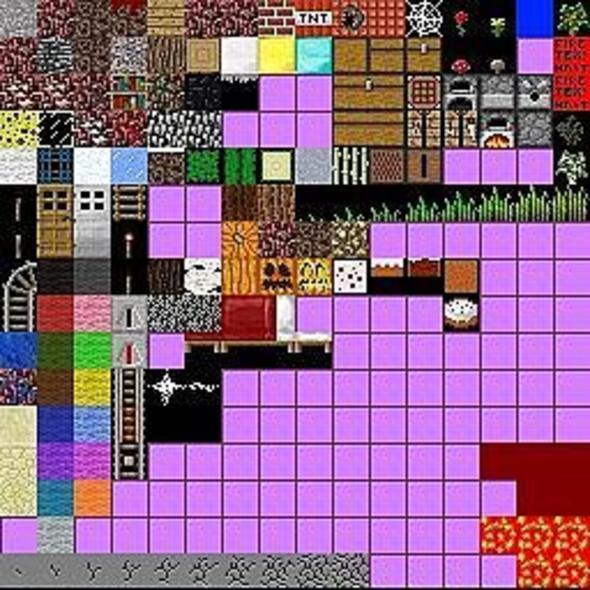
V1.0: First version of hellcraft, graphics are not good yet. The real world looks like the nether (except for the grass, that is). The grass will be edited to be hell-like in later versions. The water was supposed to be red, but it didn't load the water as red yet. The water will be red in later versions. Only tools edited right now are stone to be netherrack, other tools will be edited in later versions. V1.1 (Current): Rain changed to where it rains blood, water will be changed to blood soon enough. The bottom of grass is hell-like, but the top of the grass will be hell-like in later versions. Wooden tools changed to the texture of the wooden planks, instead of being the default texture of wooden tools. Other tools are not changed yet, but it soon will be changed to the texture pack. V1.2 (Upcoming): Wood texture changed back to normal. More tool textures changed around. Ore textures were changed to how the ores are in default, but in netherrack. Moss stone changed to where the moss is like the normal moss instead of being a bunch of random green lines. Farmland changed to normal instead of being netherrack (messed up with that).
To install a texture pack, the file must first be obtained in a ZIP format. Without decompressing the file, place the ZIP file in:
This path can be opened by using the Open Texture Pack Folder button from the game client. Once a texture pack is installed, it can be selected in the Mods and Texture Packs screen accessible from the main menu, but not while a world is currently open.